
Start with questions you already hear
Sales calls, support messages, comments, and everyday conversations are full of useful content ideas.
Read the process discussionAdd a real question your customers ask. Emelyn helps you find the right answer, turn it into posts for each channel, review everything before it goes out, and decide what to create next.
The best ideas are often hiding in sales calls, support messages, reviews, and comments. The hard part is turning them into good posts consistently.
Based on public discussions reviewed on 28 August 2026. These are useful examples, not a survey.
Sales calls, support messages, comments, and everyday conversations are full of useful content ideas.
Read the process discussionReal questions show what people are confused about and how they describe the problem in their own words.
Read the source-ideas discussionDecide who the answer is for and what you want it to help them understand, decide, or do.
Read the strategy discussionEmelyn keeps the question and the facts beside the work, from the first idea to the final post.
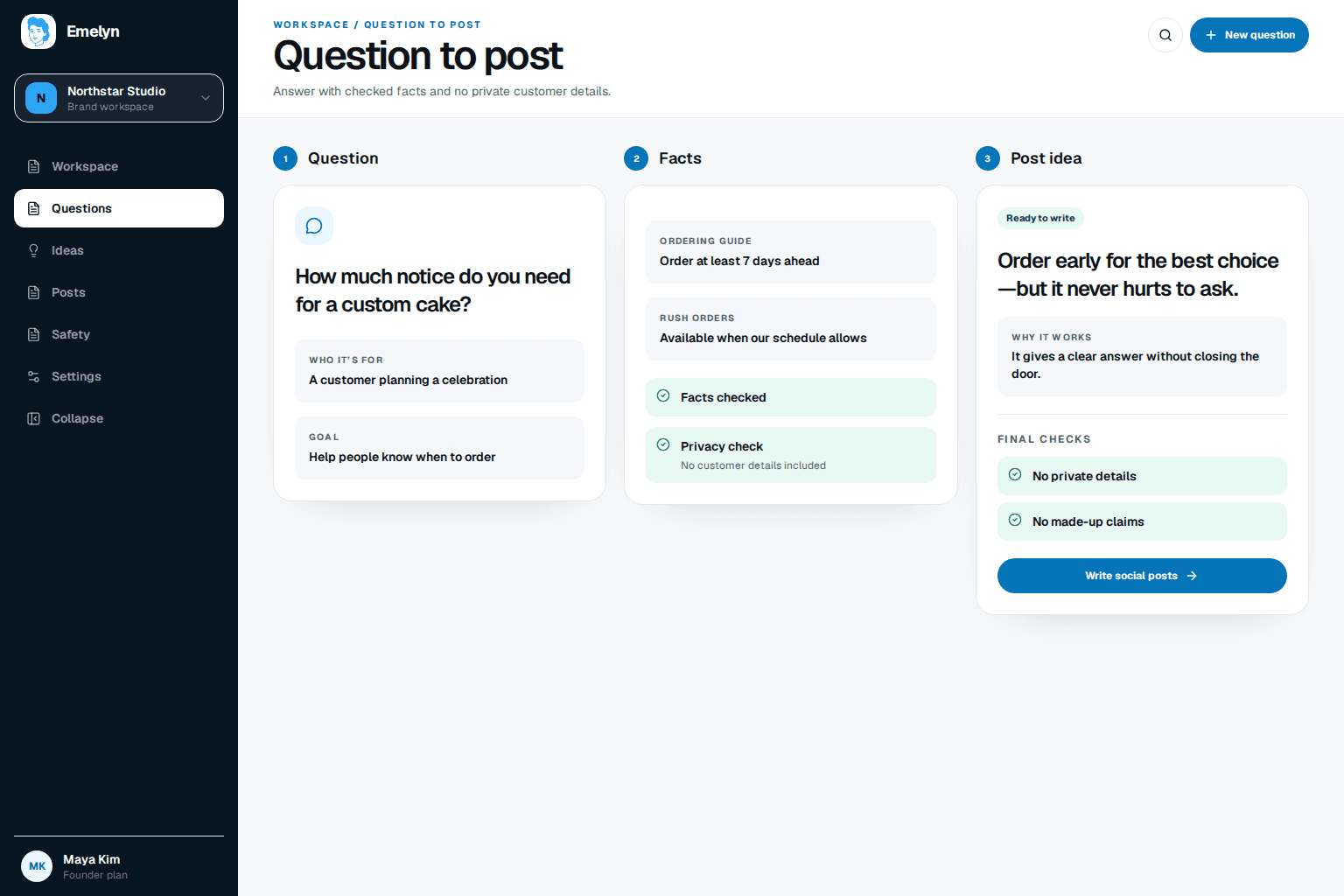
Copy the question as it was asked and note where it came from. Do not include private details you do not need.
Tell Emelyn who asked, what they are trying to understand, and what the post should help them do.
Add the product details, expert notes, or trusted sources the answer should use. Mark anything it must not claim.
Choose the idea that answers the real concern and gives people something useful—not another generic post.
Turn the answer into the right format for each channel instead of copying the same post everywhere.
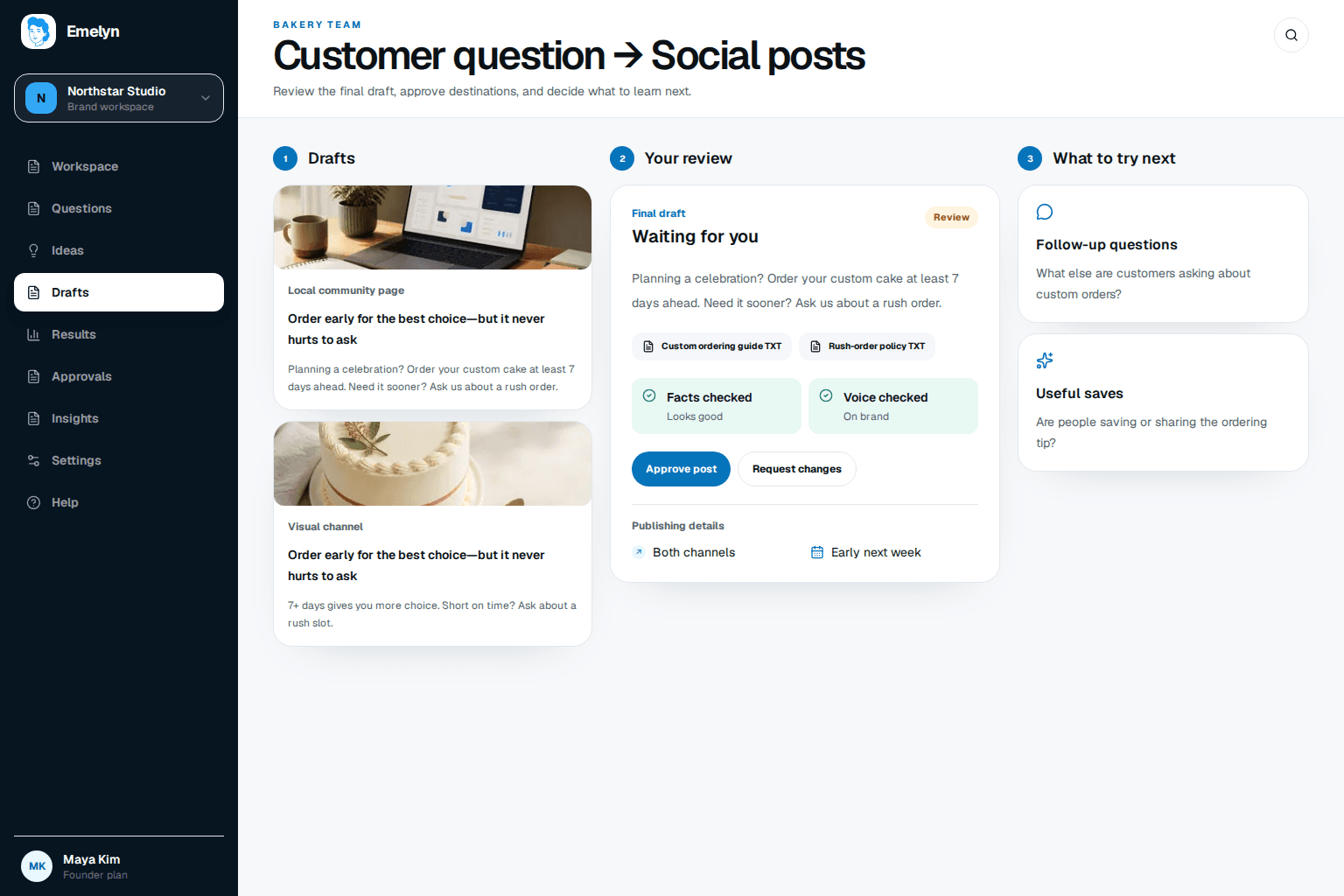
Read the final post, check the channel and timing, then approve it or ask for changes.
Know whether the post went live, was delayed, or needs your attention. Nothing should fail quietly.
Use replies, saves, clicks, and new questions to improve the next post.
This example uses a custom-cake business. It is a simple demonstration, not a customer story or result.
What we start with
The main idea
The facts stay the same, but the wording and format change to fit where people will see it.
Planning a celebration? Order your custom cake at least seven days ahead for the best choice of flavours and designs. Need it sooner? Ask us—we take rush orders when the schedule allows.
Custom cake coming up? → Seven or more days gives you more choice → Short on time? Ask about a rush slot.
A missing fact, private detail, changed post, or publishing problem should never be hidden. You see what happened and choose what to do next.
| What happens | What Emelyn does | What you do |
|---|---|---|
| Emelyn does not know where the question came from | Pause instead of guessing who asked or what they meant. | Add who asked and why the question matters. |
| The question includes private details | Remove the details or stop the post from moving forward. | Get permission before using a name, quote, or customer story. |
| The answer makes a claim you cannot prove | Flag the claim and keep the post on hold. | Add a trusted source, soften the claim, or remove it. |
| The post changes after you approve it | Ask for approval again before publishing the changed post. | Check the new words, channel, and time. |
| The social channel rejects or delays the post | Show what happened and what needs fixing. | Retry, edit, choose a new time, or stop the post. |
Look beyond likes. Replies, saves, clicks, and new questions can show you what people want help with next.
Did people ask a more specific question after reading the post?
What to try next
Answer the new question in a follow-up post.
Did people save the post or send it to someone else?
What to try next
Reuse the clear structure with another useful question.
Did the right people reply or visit the page you shared?
What to try next
Keep the topic, then try a clearer next step.
Did people misunderstand the answer or disagree with an important point?
What to try next
Check the facts and make the next explanation clearer.
This workflow helps you create posts for your own social accounts. It does not reply to customers for you, reveal private conversations, or promise that one post will create sales.
Keep the question, draft, review, publishing result, and learning in one line of work.
ExploreTurn a practical customer question into a useful Page post and a clear customer action.
ExploreFilter private details, map the source, and send the draft into review before anything continues.
ExploreTurn one true business answer into a practical Facebook post before connecting the workflow.
ExploreIt can come from a sales call, support message, comment, review, email, interview, search, or any question people in the business hear often. Note where it came from and why it matters.
Yes, they can inspire a topic. Remove names and personal details, and get permission before using a direct quote or customer story.
No. Some questions are private, too specific, already answered, or better handled one-to-one. Emelyn helps you decide whether a public post is the right response.
A post generator gives you copy. Emelyn keeps the original question, facts, drafts, approval, publishing status, and what you learned together.
No. Starting with a real question can make a post more relevant, but the result still depends on the answer, audience, offer, creative, timing, and distribution.