
Check before the deadline
See missing media, approval, destination, or connection problems while there is still time to fix them.
A social media scheduler lets you prepare a finished post now and publish it later on a chosen account. Emelyn adds the checks around that moment: approval, destination, format, connection, and a clear success or failure status after the scheduled time.
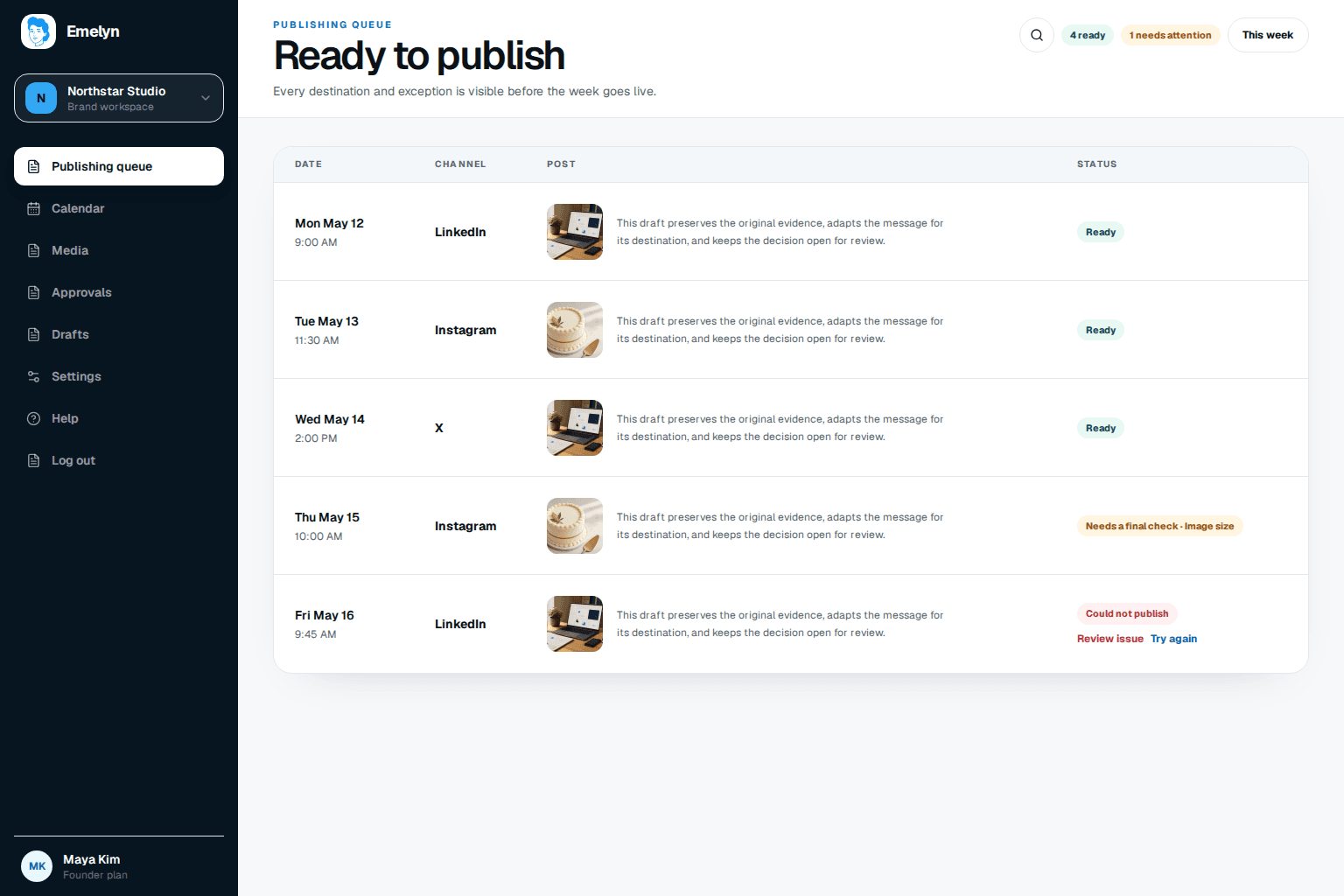
Schedulers often look calm right up to the moment a missing approval, expired connection, or unsupported format stops a post.
See missing media, approval, destination, or connection problems while there is still time to fix them.
Keep the account, channel, format, time zone, and final version together so the wrong post does not go to the wrong place.
A failed post should not disappear into a calendar. Show what happened, what can be corrected, and whether it is safe to try again.
The useful job is not choosing four times. It is making sure each final post can reach the right account in the right format.
A launch you can check before it happens, followed by four visible results instead of four assumptions.
Scheduling begins after the message is decided. It ends only when the result is known and ready to inform what happens next.
Lock the words, creative, destination, and any required review before choosing the time.
Confirm the connection, format, media, account, permissions, and time zone.
Publish automatically where supported or prompt the final native step where it is not.
Show success, failure, or an unknown state and keep the post ready for a sensible next action.
Routine approved posts can move on their own. A changed claim, broken connection, or platform exception should stop and ask for attention.
A tidy queue is helpful. The real test is whether the right post reaches the right account and leaves a result you can trust.
| At this moment | Manual publishing | Basic scheduler | AI writer | Emelyn |
|---|---|---|---|---|
| Before scheduling | You check every detail | Accepts the finished post | Creates copy but may not publish | Keeps approval and readiness beside the post |
| Destinations | You open each native app | Multiple connected accounts | Usually exports text | Shows the exact account, format, and final version |
| When something is wrong | You notice it yourself | Varies by product | Outside its job | Stops, explains what is known, and offers the next action |
| After publish | You check each account | Marks a platform response | The work has ended | Keeps status visible and passes results to analytics |
A social media scheduler stores a finished post and sends it to a selected social account at a future date and time. Better schedulers also check readiness and make the publishing result visible.
A scheduler does not control a platform's ranking system. Reach depends on many factors, including the content, audience response, timing, format, and platform changes. Compare like-for-like results in your own accounts instead of relying on a blanket claim.
You can reuse the central idea, but the final post often needs different length, media, links, tags, or formatting. Emelyn keeps the variations together without pretending every destination is identical.
The post should move to a visible needs-attention state. You can inspect the reason, correct the format or connection, reschedule, try again when safe, or publish manually.
The chosen local time and time zone should be visible beside every scheduled post. That is especially important when the person scheduling and the audience are in different places.
Check the purpose, facts, creative, destination, approval, and fallback on the final version.
Start with broad benchmarks, then test two windows against your own audience.
See which ideas are drafts, in review, ready, or waiting for a date.
Connect each result to the goal and next decision.
Connect repeatable work before and after scheduling.
See approval, failure, and automation guardrails.