
UNDATED
Keep ideas undated
A worthwhile idea does not need a fake deadline. Hold it in a visible queue until its timing, evidence, and purpose are clear.
A social media content calendar is a shared plan for what you may publish, where it stands, who needs to review it, and when it should go live. Emelyn keeps undated ideas, drafts, approvals, assets, and scheduled posts in one view so a full week does not hide unfinished work.
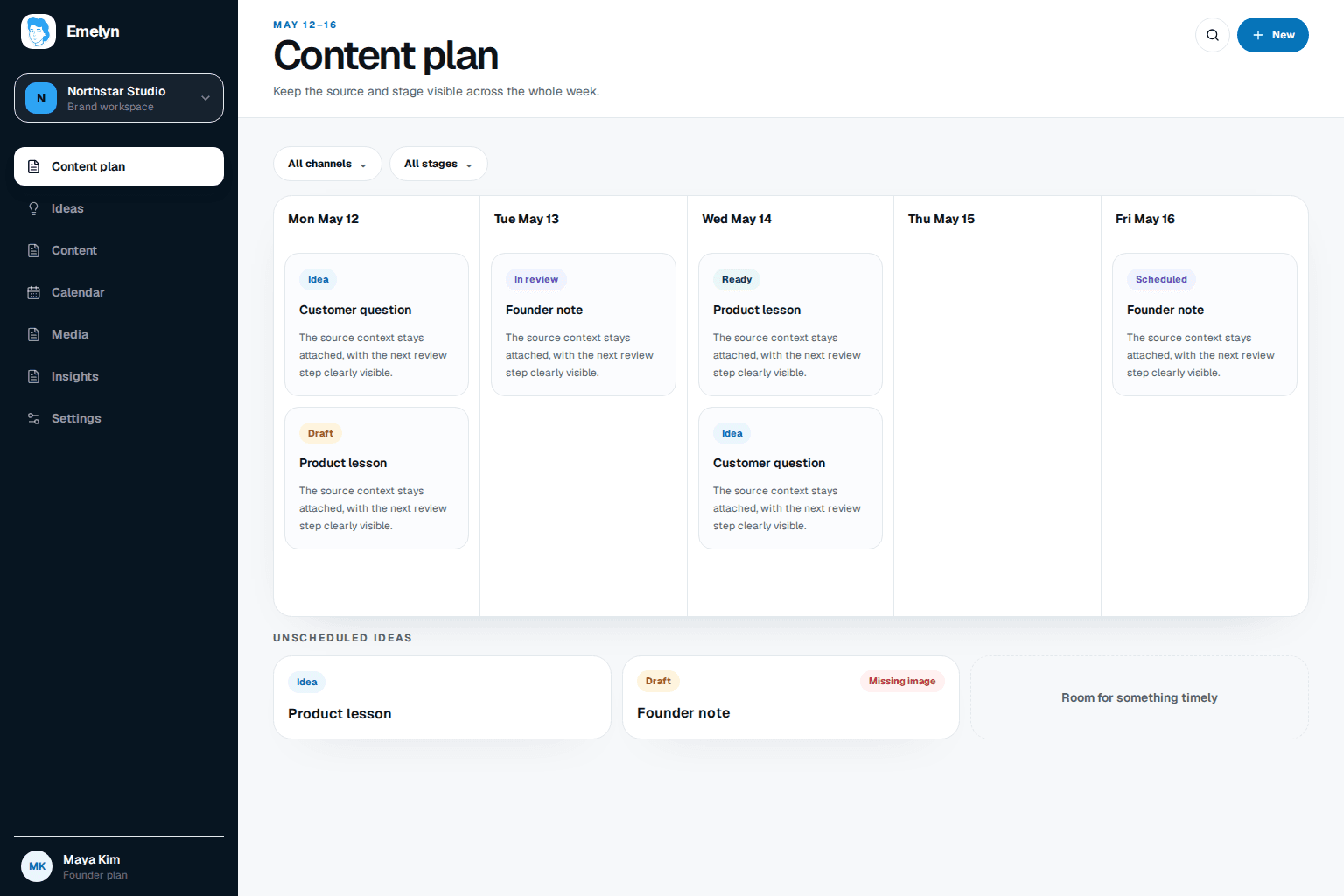
A box on Tuesday says very little. The useful details are whether the idea is strong, the draft is ready, the creative exists, and the right person has approved it.
A worthwhile idea does not need a fake deadline. Hold it in a visible queue until its timing, evidence, and purpose are clear.
Use plain states such as idea, draft, in review, ready, scheduled, and published so nobody has to decode a color or chase an update.
See repeated topics, missing formats, launch collisions, and quiet periods before they turn into a last-minute posting problem.
A useful calendar reveals preparation risk before the publishing day arrives.
The weekly plan
Five planned posts: a customer answer, product update, founder opinion, practical guide, and event reminder across LinkedIn and Instagram.
What the view reveals
The product update is waiting for a final claim, two posts repeat the same topic, and Thursday's carousel has no approved creative. Three undated ideas could fill the gap.
What you decide
Move the unready carousel, use the customer answer on Thursday, and keep the product update off the schedule until its claim is confirmed.
A smaller plan that is genuinely ready, with the missing decision visible before it becomes a missed post.
The calendar connects chosen ideas to the people, assets, approval, and date needed to publish them well.
Keep signals, customer questions, launches, and evergreen ideas in an undated queue.
Decide the audience, message, channel, format, and business purpose before assigning a date.
Show the draft, owner, assets, comments, and final approval in one status.
Schedule only ready work and keep gaps visible enough to make a deliberate change.
Emelyn can carry routine progress into the calendar. People still choose what deserves the limited space and when the plan should change.
Scheduling software organizes ready posts. A planning calendar also makes incomplete decisions visible.
| Planning need | Spreadsheet | Scheduler | AI writer | Emelyn |
|---|---|---|---|---|
| Holds | Rows, documents, and message threads | Posts with dates | Prompts and drafts | Undated ideas through published work |
| Shows readiness | Whatever labels you maintain | Usually draft or scheduled | Draft complete | Idea, draft, review, ready, scheduled, and published |
| Approval context | Often in another place | Attached to scheduled content in some tools | Outside its job | Reviewer, comments, version, and decision stay together |
| Helps you change | You scan the sheet | You move a date | You request another draft | Shows the gap, conflict, or missing decision behind the change |
It is a plan that shows potential and confirmed social posts, their purpose, channel, format, owner, review status, assets, and publishing date. It should make unfinished decisions visible, not merely display dates.
Include the idea and source, intended audience, message, channel, format, draft, creative, owner, reviewer, status, date, and final publishing result. Use only the fields that help someone make or check a decision.
Plan fixed launches and evergreen work far enough ahead to prepare them well, while leaving room for current conversations and new information. The right horizon depends on how quickly your facts, offers, and audience context change.
No. A calendar helps decide and prepare what belongs in the plan. A scheduler sends a finished, approved post at the chosen time. They work best when ready items move cleanly from one to the other.
This page describes the Emelyn planning product. A downloadable blank template serves a different need and should live on its own template page rather than compete with the product page.
Find timely questions and changes worth turning into ideas.
Publish ready work and see the result clearly.
Turn one strong source into several distinct planned pieces.
Use real performance patterns to change the next calendar.