
01
Review
A person approves the final version before an attempt can begin.
Emelyn publishes only content that meets the chosen workflow rule and passes readiness checks for approval, media, destination, connection, format, and time. Every attempt ends in a visible result with a safe next action.
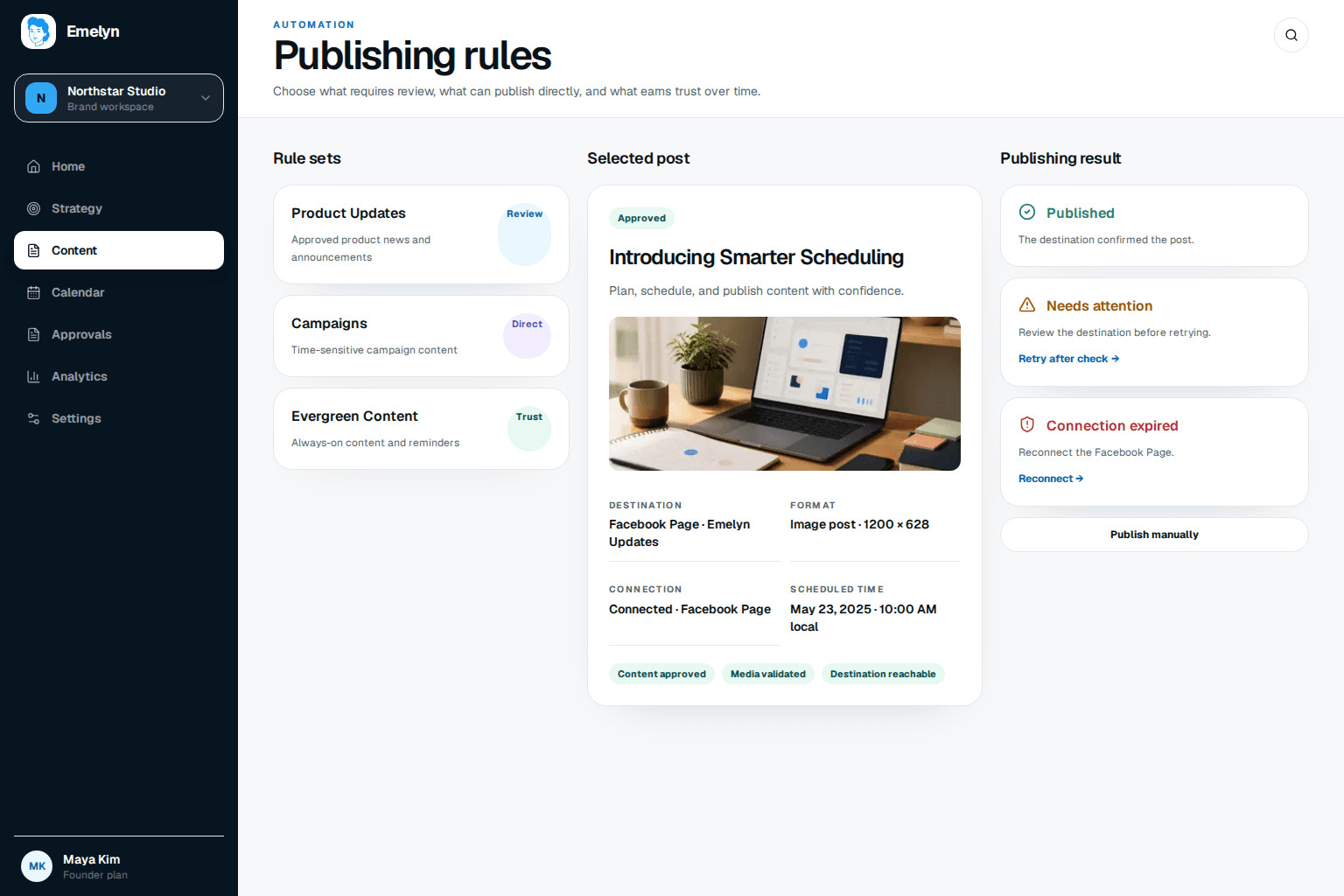
A sensitive launch can stay close to review while a stable educational series moves under narrower rules. One mode never has to govern everything.
01
A person approves the final version before an attempt can begin.
02
A permitted publisher starts the checked attempt without another approval step.
03
One proven workflow moves under a narrow rule until a condition changes.
The selected account, exact version, permission, format, media, link, local time, and destination state all need to agree.
Approved version matches the rule
Destination and account are exact
Connection still has permission
Media and format pass current checks
Links and required fields resolve
Local schedule and expiry are valid
Every attempt ends in a visible state. Delayed, unknown, recoverable, and final outcomes do not share the same label.
The destination confirms the live result and Emelyn stores the final reference.
The issue has a reason, owner, and safest next action.
The platform has not returned a final state; Emelyn does not guess.
The attempt stops and the account owner receives a reconnect path.
Workflow 01
A time-sensitive product announcement has approved copy but a high-cost factual mistake.
The announcement moves quickly after approval without skipping the decision that matters.
Workflow 02
A recurring educational workflow has stable sources, boundaries, output, and review history.
Routine publishing stops consuming attention while exceptions remain visible and controlled.
Creating content, approving it, and widening automation are distinct powers.
Every social platform controls its own permissions, supported formats, and responses.
The post moves to needs attention and keeps the last safe state.
Part of Emelyn. Connected destinations and publishing usage follow the account limits shown on Pricing.
See pricingThe goal is dependable delivery without handing every future post an unlimited permission to ship.
Only if its workflow rule allows it and the content passes the current readiness checks. New, sensitive, or exceptional work can remain in review.
The attempt stops, the account owner receives a reconnect action, and the post remains available to retry or publish manually after the connection is restored.
Yes. Control is set by workflow, so you can return a workflow to Review or Direct without changing unrelated publishing work.
Compare a repeatable release workflow with a time-sensitive customer update, then review the small-business operating fit.
Practical checklist
Run purpose, fact, creative, destination, approval, and fallback checks before publishing.
ExploreWorked example
Choose the right promotion level before anything is scheduled.
ExploreSource workflow
Publish only after the source, claims, destination, and current page state are ready.
ExploreBest-fit workflow
Keep approved local updates moving without losing visible status.
ExploreAfter publish
Turn comparable results into the next content decision.
ExploreEditable template
Make source, approval, destination, timing, and fallback visible in the calendar.
ExploreSmall-business example
Fit approved questions, offers, and local updates around the work already happening.
Explore