
Make context visible
Show the selected brand, audience, offer, voice, and current campaign wherever someone is researching, drafting, reviewing, or publishing.
Multi-account social media management means operating several social profiles from one system while keeping each brand's strategy, voice, sources, assets, access, approvals, and publishing destinations separate. Emelyn makes the active brand obvious at every step so convenience does not blur responsibility.
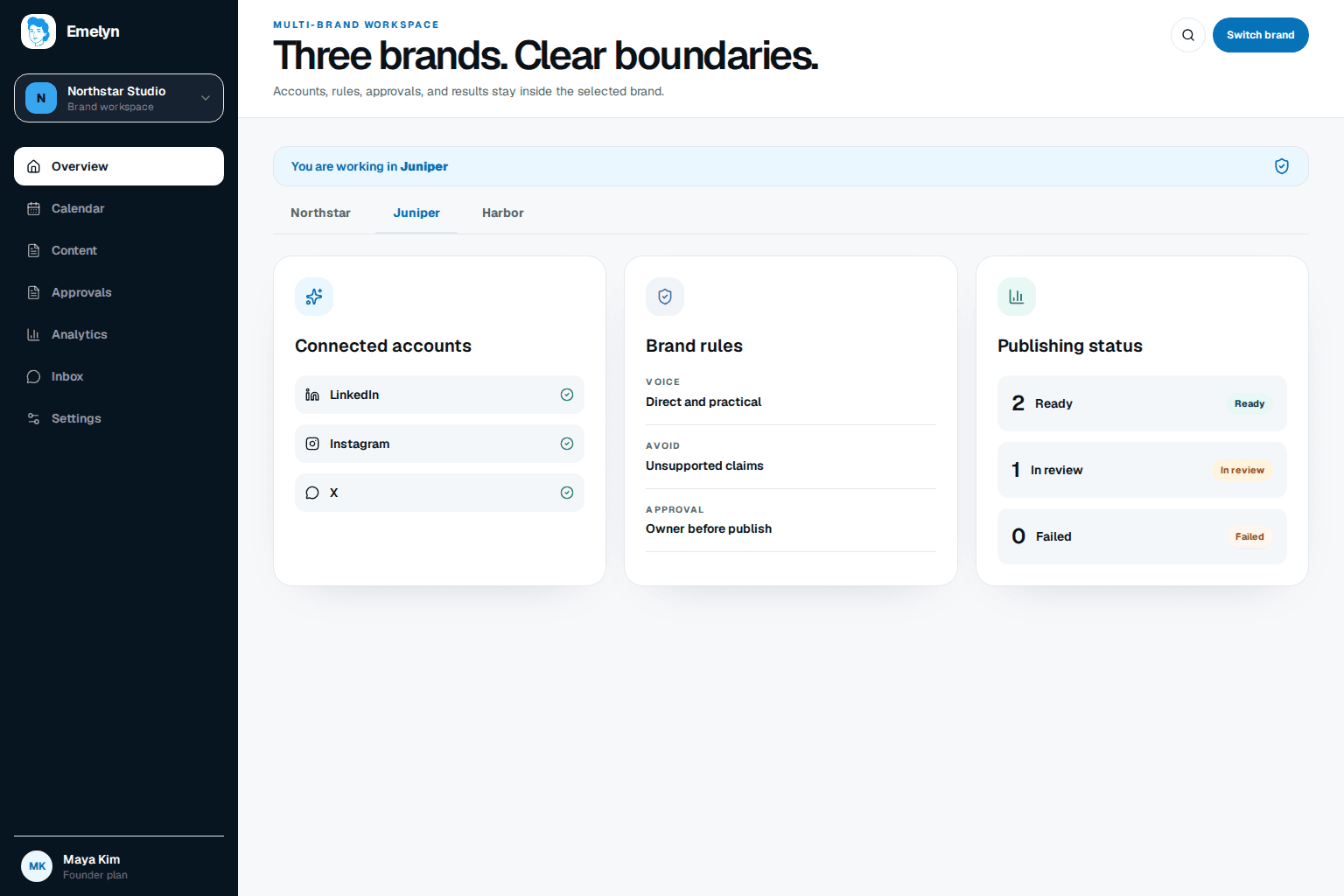
A single dashboard saves time only when it also prevents the most expensive mistake: using the wrong voice, asset, approval, or destination.
Show the selected brand, audience, offer, voice, and current campaign wherever someone is researching, drafting, reviewing, or publishing.
Keep sources, claims, creative, calendars, and connected accounts inside the correct workspace instead of relying on folder names and memory.
Give each brand its own reviewers, publishing rules, and exceptions so a decision for one account cannot silently authorize another.
Shared dates and formats can make content look interchangeable. The surrounding brand context should make that mistake difficult.
Personal story, individual voice, its own proof, reviewer, links, and LinkedIn and Instagram destinations.
Product demonstration, company voice, separate assets, approval, links, and connected accounts.
One operating rhythm with no shared voice, approval, link, asset, learning, or publishing assumption.
Each brand runs its own strategy-to-learning loop. The shared system makes switching easier without combining the information inside those loops.
See the name, visual marker, goals, voice, sources, accounts, and permissions before starting work.
Use only the selected brand's approved context, claims, assets, and audience knowledge.
Route the content to that brand's reviewer and show every exact destination before approval.
Keep performance and recommendations with the brand that produced them instead of blending unrelated results.
Routine work can move faster once its workspace, destinations, and permissions are clear. Switching brands should always be deliberate and visible.
The important question is how the product preserves the right context when someone moves quickly between brands.
| Boundary | Folders and memory | Scheduler | AI generator | Emelyn |
|---|---|---|---|---|
| Brand context | Separate folders and your memory | Profile groups and queues | Changed through prompts or projects | A visible workspace controls sources, voice, assets, and rules |
| Approvals | Email, chat, or documents | Often tied to scheduled posts | Outside its job | Brand-specific reviewers and decisions stay beside the work |
| Publishing safety | You check every native account | Shows connected destinations | Usually does not publish | Shows workspace and exact destination together before publish |
| Learning | Reports kept separately by hand | Metrics grouped by account | Stops at the draft | Keeps results and recommendations inside the originating brand |
Use a system that groups accounts by brand, keeps each brand's strategy and materials separate, limits access by role, routes approval correctly, and shows the exact destination before anything publishes.
Yes, but the active brand should remain visible and control which sources, voice, assets, links, reviewers, accounts, and analytics are available. Convenience should not merge the underlying work.
Use clear workspace names and visual markers, group destinations by brand, limit permissions, show the full account identity at review and publish, and require another check for sensitive posts. Do not rely on a tiny profile icon alone.
Yes. Each workspace can define who prepares, reviews, approves, and publishes content, along with the cases that must always stop for review.
Keep brand and account results separate first because their audiences, goals, sizes, and strategies differ. A portfolio view can summarize operations, but it should not turn unlike performance into one misleading average.
Keep every brand's ideas, approvals, and dates clear.
Verify where each approved post will publish and see the result.
Turn each brand's performance into its own next decision.
Review approval, automation, and publishing guardrails.